1Password
We have used 1Password daily since 2020. This guide is informed by that experience.
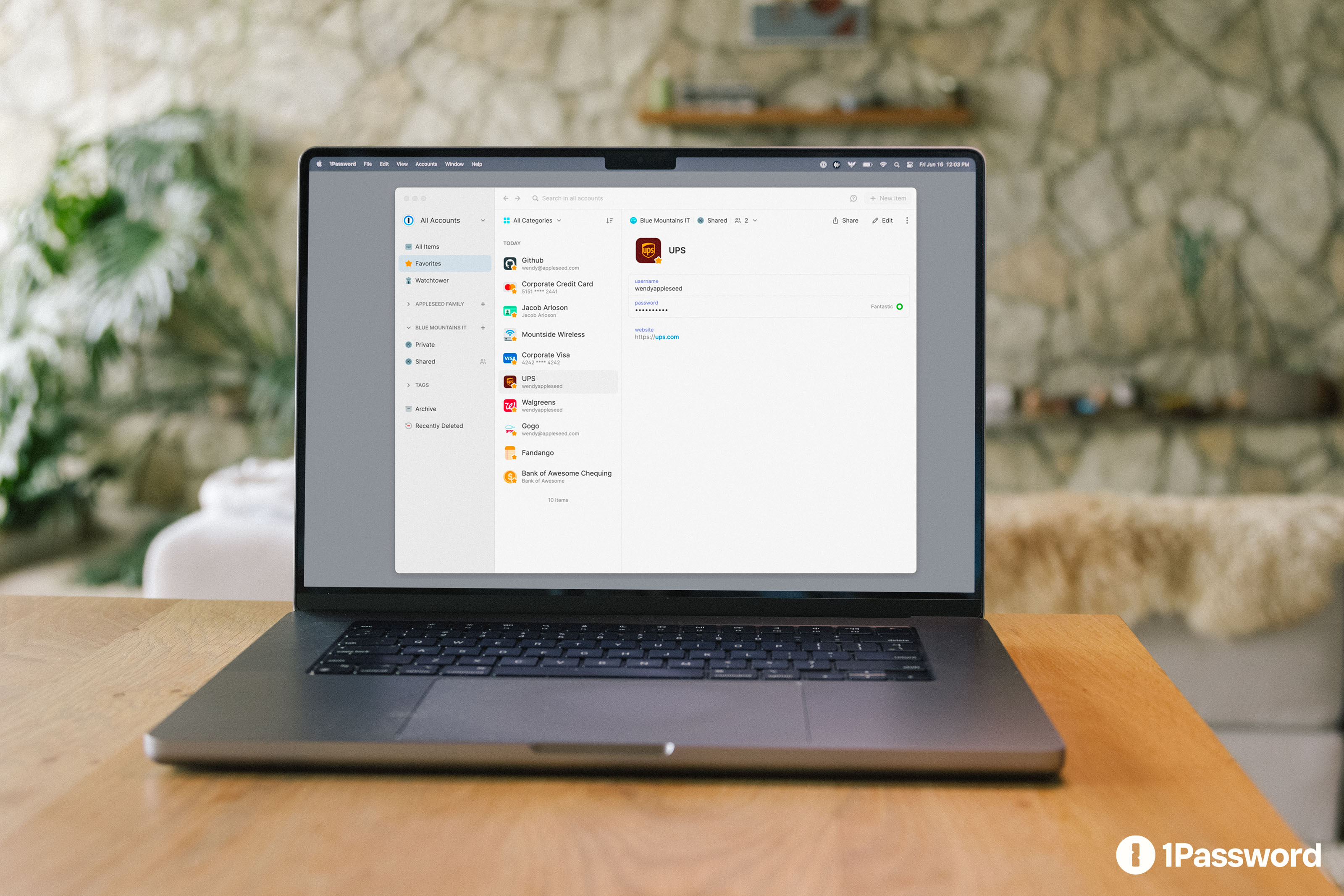
1Password is a password manager built by AgileBits, a Canadian company founded in 2005. It stores passwords, passkeys, secure notes, credit cards, identity documents, SSH keys, API tokens, and software licenses in an encrypted vault that syncs across all your devices.
What sets 1Password apart from most competitors is a dual-key architecture. Your vault is encrypted with AES-256-GCM, and the encryption key is derived from both your master password and a locally stored Secret Key (a 128-bit random string generated during signup). Even if someone steals the vault data from 1Password’s servers, they need both factors to decrypt it. A brute-force attack against the master password alone is not enough.
What 1Password does
You remember one master password. 1Password handles everything else: generating strong unique passwords, auto-filling them in browsers and apps, syncing across devices, and flagging when something is weak, reused, or compromised. The browser extension is the daily workhorse. Most users open the main app only during initial setup or for vault management.
Beyond passwords, 1Password stores structured data: credit cards with auto-fill, identity documents, secure notes, software licenses with keys and registration info, SSH keys (with a built-in SSH agent), and API credentials. Tags and multiple vaults let you organize by context (personal, work, client projects, shared family) without everything collapsing into a single list.
Who 1Password is for
- Individuals and families who want one tool for everyone in the household. The Family plan covers up to five users with shared and private vaults. Non-technical family members adapt quickly because the UX is polished enough that they can use it without constant support. See: VPN and Password Manager: Which Ones Are Actually Worth Paying For?
- Freelancers and small teams that need credential sharing without exposing passwords in plaintext. Share a client login, a staging server password, or a Wi-Fi credential with per-item access control. See: The Freelancer Security Setup
- Developers who use SSH keys, API tokens, or environment variables daily. The SSH agent lets you manage keys inside 1Password and authenticate git pushes or server connections without keys sitting on disk. See: Security Tools Every Founder Needs from Day One
Key features
Watchtower
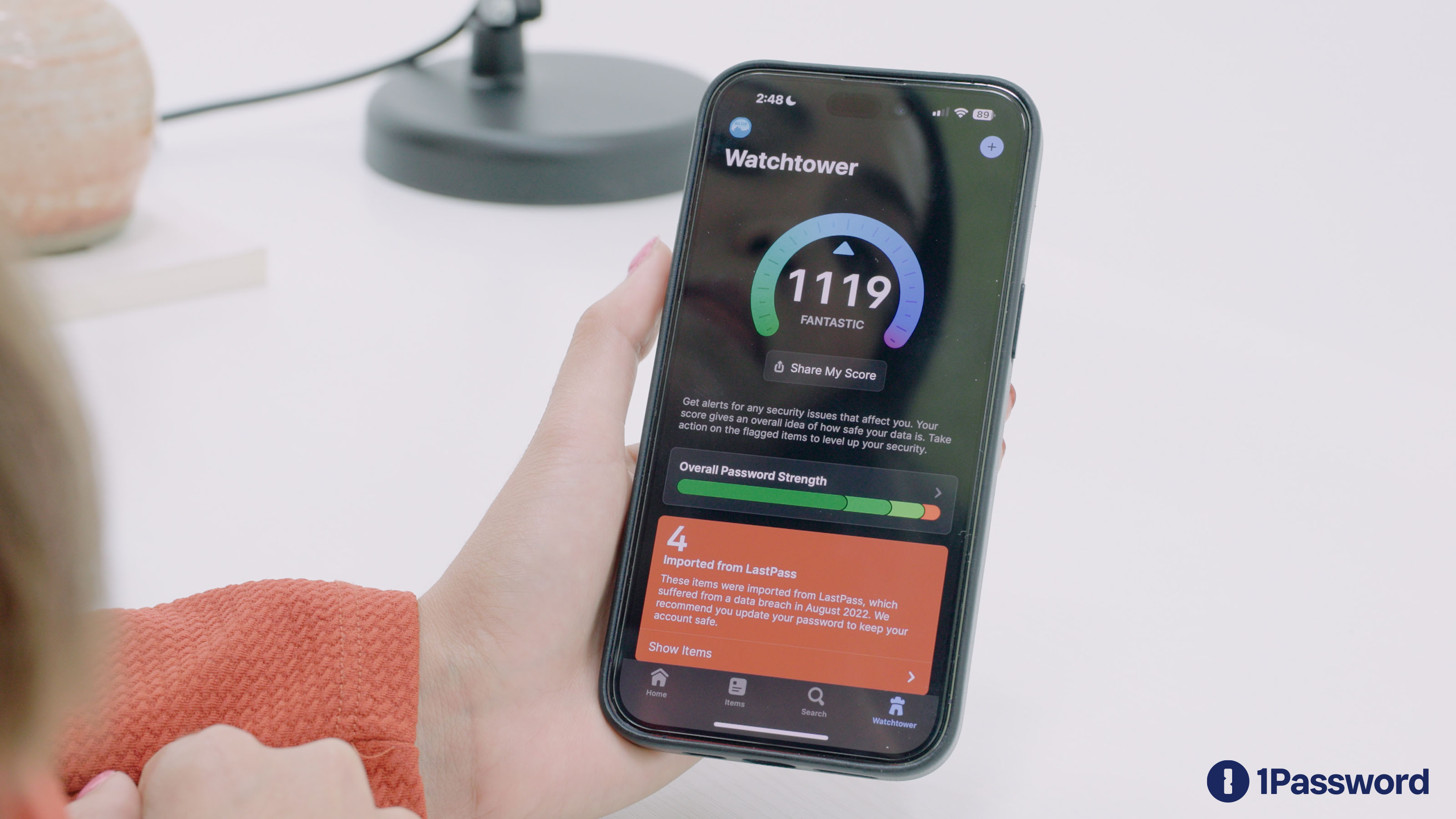
Watchtower is 1Password’s security dashboard. It scans your vault for weak passwords, reused passwords, compromised credentials (checked against Have I Been Pwned using k-anonymity, so the full password hash is never sent), accounts missing 2FA, and services that support passkeys but where you have not set one up yet.
The practical value is that it gives you a single score and a prioritized list. You do not have to fix everything at once. Change the worst offenders first, then work through the list over weeks. That gradual improvement approach is more realistic than a one-time password audit, and it is how most people actually get to a strong vault.
Sharing
1Password supports vault-level and item-level sharing. Within a Family or Teams plan, you can create shared vaults for specific contexts (household streaming logins, a startup’s SaaS credentials, a client project) while keeping private vaults strictly personal.
You can also share individual items with anyone via a time-limited link, even if they do not use 1Password. The link expires automatically. For teams, per-vault permissions let you control who can view, edit, or manage each vault. The sharing flow takes fewer steps than NordPass or Bitwarden, which matters when non-technical people just need a shared Netflix password.
Passkey support
1Password supports creating, storing, and auto-filling passkeys across all major browsers and platforms. Watchtower flags logins that now support passkeys, making the upgrade path visible instead of something you discover by accident. On passkey readiness, 1Password is ahead of most password managers and roughly parallel with Bitwarden, with Apple Keychain as the main native-platform competitor.
Cross-device sync
1Password syncs across Mac, Windows, Linux, iOS, Android, and browsers. Auto-fill works natively on iOS and Android (via the system-level password auto-fill API) and through the browser extension on desktop. The mobile experience is consistently cited as a strong point, especially by users migrating from LastPass or KeePass.
Built-in TOTP
1Password can store and auto-fill time-based one-time passwords. When you log in, it fills both the password and the TOTP code in one flow, which removes the friction of switching to a separate authenticator app.
The trade-off is worth considering. Storing both the password and the TOTP seed in the same vault means a compromised vault exposes both factors. For most accounts, the convenience outweighs the theoretical risk (especially since the vault itself is protected by master password + Secret Key). For high-value accounts like banking or primary email, consider keeping TOTP in a separate authenticator (Ente Auth, Aegis) or using a hardware key.
SSH agent and developer tools
1Password includes an SSH agent that stores keys in the encrypted vault instead of on disk. You authenticate git operations, server connections, and deployments by unlocking 1Password (biometrics or master password) rather than managing ~/.ssh/ files. For developers who rotate between machines or work on multiple client projects, that removes one more thing to set up and maintain.
The Secrets Automation platform extends this to CI/CD pipelines, infrastructure-as-code tools, and team secrets management, though that is primarily relevant for larger engineering teams.
What 1Password does not do
- No free tier. 1Password requires a paid subscription. If budget is the primary concern, Bitwarden offers a generous free plan.
- Not open source. The clients are proprietary. 1Password publishes independent security audits, but the source code is not available for inspection. If auditability is non-negotiable, Bitwarden is the alternative.
- Org-level Watchtower is limited. Admins on Teams and Business plans cannot scan employees’ private vaults for weak or reused passwords. Watchtower works as a personal hygiene tool but cannot enforce policies across the org. If you need org-wide password policy enforcement, you will need to push everything into shared vaults or supplement with a dedicated identity governance tool.
- Electron-based desktop app. Version 8 replaced native macOS and Windows apps with an Electron-based architecture. For most users this is invisible (the browser extension is the primary interface anyway), but power users with large vaults or deep OS integration workflows (Alfred, Raycast) may notice higher memory usage and occasional slowdowns.
Pricing
1Password offers Individual, Family (up to 5 users), Teams Starter (up to 10 users), and Business plans. There is no free tier. Pricing sits in the premium range for password managers, roughly 3-4x the cost of Bitwarden Premium, though the Family plan offers strong value when split across five people. Annual billing is cheaper than monthly.
Check 1Password’s pricing page for current rates.
How 1Password compares
| 1Password | NordPass | Bitwarden | |
|---|---|---|---|
| Free tier | No | Yes (limited) | Yes (full-featured) |
| Encryption | AES-256-GCM + Secret Key | XChaCha20 | AES-256 |
| Open source | No | No | Yes |
| Passkey support | Yes (full) | Yes | Yes |
| Breach monitoring | Watchtower (built-in) | Data Breach Scanner (Premium) | Reports (Premium) |
| Built-in TOTP | Yes | Premium only | Premium only |
| SSH agent | Yes | No | No |
| Family plan UX | Excellent | Adequate | Good |
| Best for | Families, developers, polished UX | Nord ecosystem users, budget | Budget-conscious, open-source preference |
For an SME-focused comparison against NordPass, Bitwarden, and Proton Pass, see: Password Managers for SMEs. For a deeper comparison of password managers in the context of a broader security setup, see: VPN and Password Manager: Which Ones Are Actually Worth Paying For?
Swiss relevance
For businesses in Switzerland operating under the nFADP, managing credentials properly is part of taking “appropriate technical and organizational measures” to protect personal data (Art. 8 nFADP). A password manager eliminates reused passwords, the single most common credential vulnerability, and for most threat models it matters more than a VPN.
1Password is a Canadian company. Vault data is zero-knowledge encrypted (1Password cannot read it regardless of jurisdiction), which neutralizes most data residency concerns for the vault contents themselves. In March 2026, 1Password launched EU-hosted infrastructure (Frankfurt) for its Device Trust product, aimed at organizations with strict data residency requirements. For standard vault data, the primary servers are in Canada. If your compliance framework requires that even encrypted credential data stays within the EU or Switzerland, raise this with 1Password’s sales team for a DPA.
Practically, the jurisdictional question matters less for a zero-knowledge password manager than for services that can read your data. The encryption is what protects you, regardless of where the server sits.
Tips for getting the most out of 1Password
- Start with Watchtower. After importing your existing passwords, check Watchtower first. Fix the critical items (reused passwords on banking, email, and cloud accounts), then work through the rest gradually. Trying to fix everything at once leads to burnout.
- Use tags to stay organized. Tags let you slice across vault boundaries: tag items by client, by project, or by urgency (“needs-2fa”, “shared-with-team”). Combined with multiple vaults, this keeps things navigable even with hundreds of entries.
- Enable 2FA on your 1Password account itself. Use a hardware key or a separate authenticator, not 1Password’s own TOTP. The vault that protects everything else deserves its own independent second factor.
- Use the sharing links. When someone outside your Family or Teams plan needs a credential temporarily (a contractor, a friend borrowing a streaming login), generate a time-limited link instead of sending the password in a chat message. It expires automatically.
- Try the SSH agent if you write code. It replaces key files on disk with vault-backed authentication. One fewer thing to manage when setting up a new machine or rotating keys.